Commercial Build Workspace
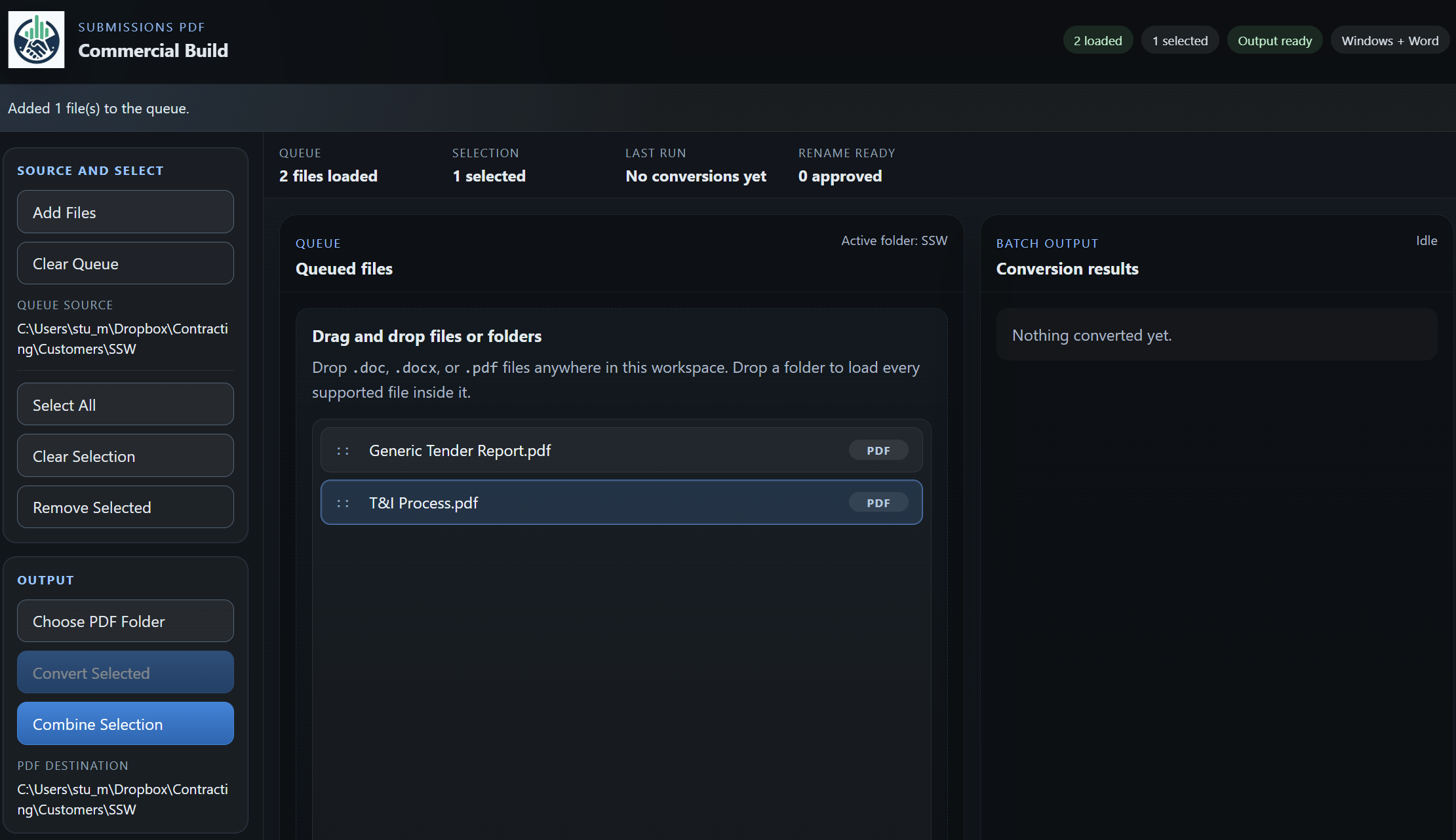
A live screenshot of the current desktop app, showing the workflow used to prepare submission files and work against a register.
Submission PDF is a Windows desktop app for preparing submission files for tender and bid lodgement.
Available now
It helps teams batch convert Word files to PDF, combine files into one PDF where required, and align file names to a Submission Register so final submission sets are ordered, consistent, and easy to check.
Submission PDF is built for practical submissions work. It supports the final preparation stage of a tender by helping you convert files, package them, and organise them against a numbered Submission Register without overcomplicating the workflow.
It is especially useful where submissions contain multiple response documents, supporting attachments, reused evidence files, and final naming requirements for upload portals or shared folders.
Viewing on mobile? Submission PDF is a Windows desktop app. Open this page on your Windows PC to install it from Microsoft Store.
Back to ToolsSubmission PDF works best when used with a Submission Register, a numbered list of the documents you plan to submit.
That register can include:
Using a numbered Submission Register helps create a cleaner and more controlled submission process because it can:
Importantly, many teams do not rename all working files to their final numbered names during drafting. That is often helpful, because the same evidence files may be reused across multiple tenders. Submission PDF supports that approach by helping you apply the final naming structure later, when you are preparing the submission set.
A live screenshot of the current desktop app, showing the workflow used to prepare submission files and work against a register.
Submission PDF is useful where teams want a simple way to reduce manual handling in the final preparation stage of a submission.
Submission PDF helps teams prepare final submission files. It can batch convert Word files to PDF, combine selected files into one PDF, and organise file names against a Submission Register so final submission sets are easier to order, check, and lodge.
Yes. Submission PDF is presented here as a Windows desktop app.
Submission PDF is available through Microsoft Store for Windows PC install and purchase.
Use the Microsoft Store button on this page to open the Submission PDF listing in Microsoft Store.