Commercial Build Workspace
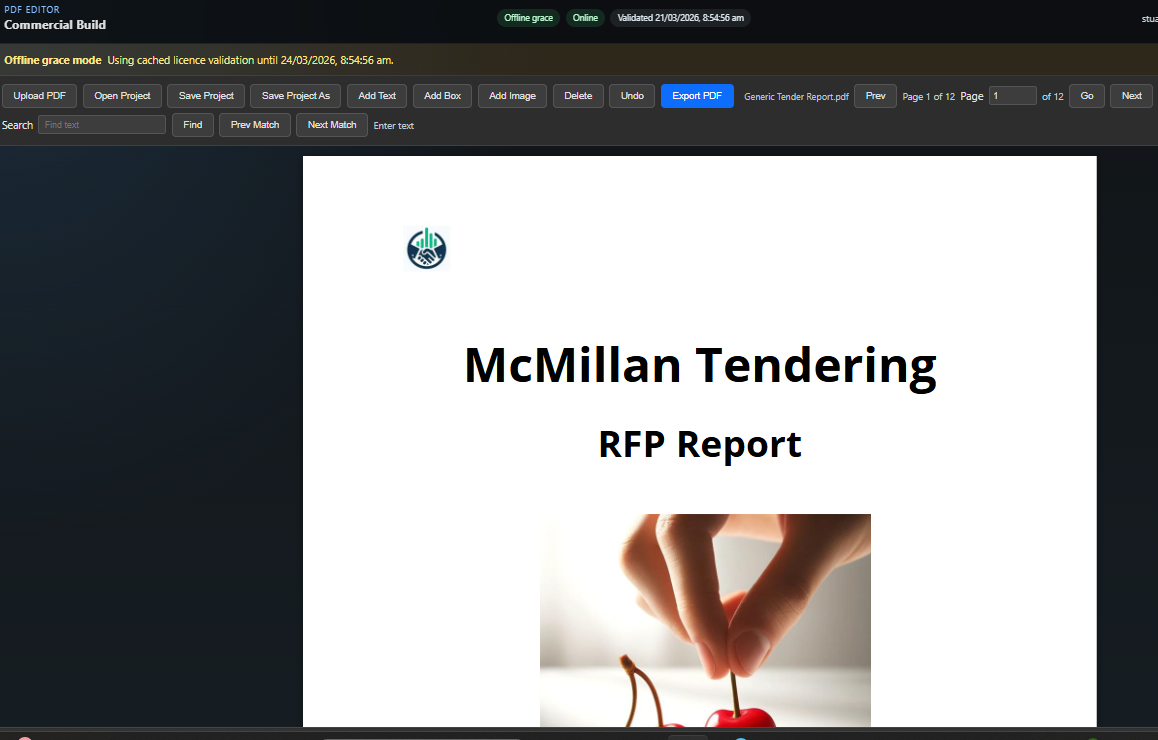
A live screenshot of the current desktop app, showing the editing toolbar, page controls and PDF canvas in use.
Add text, images and boxes to PDFs with a lightweight desktop app built for practical document work.
Available now
DropText PDF is designed for straightforward document tasks when you need to update a PDF quickly without wrestling with a large, complex suite. It is a desktop app built for practical business work and is distributed through Microsoft Store.
Back to Tools
A live screenshot of the current desktop app, showing the editing toolbar, page controls and PDF canvas in use.
Yes. DropText PDF is available now as a Windows desktop app.
Use the Microsoft Store button on this page to open the current product listing.
Where the app is obtained through Microsoft Store, pricing, installation, updates, and related platform matters are handled through Microsoft Store or Microsoft in accordance with their applicable terms and policies.
Contact Stuart via the support link on this page.