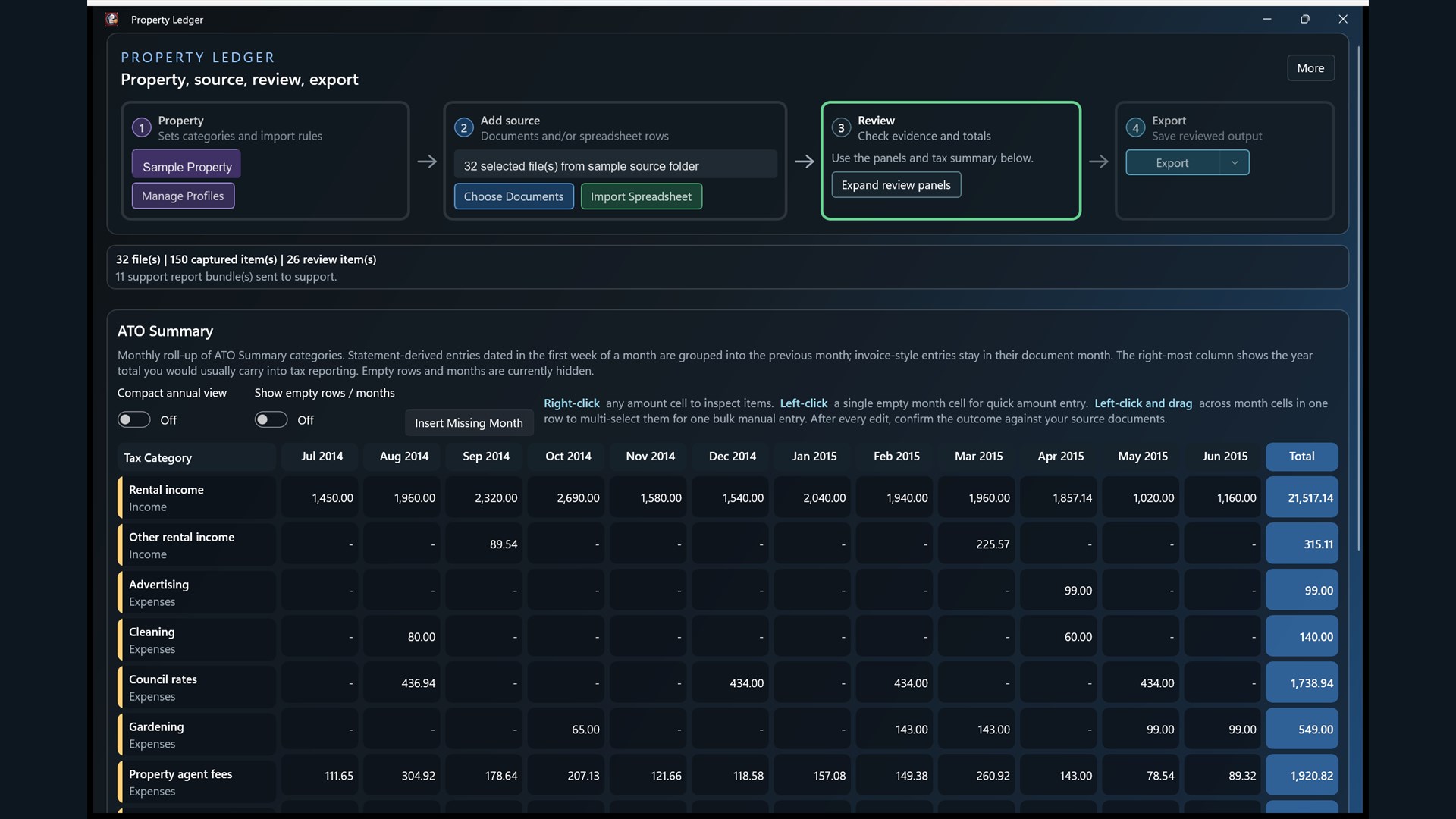
Workflow Summary
Follow the property, source, review and export workflow while checking monthly rental income and expense totals.
A Windows desktop app for rental-property record preparation.
Available from Microsoft Store
Property Ledger is a Windows desktop app published by MACCA CONSULTING PTY LTD for rental-property record preparation.
The app helps rental-property owners organise rental statements, invoices, notices, CSV files and Excel rows into a reviewable draft ledger. It supports source-document review, monthly rental income and expense summaries, review cues, and CSV export workflows.
Property Ledger is a working-paper tool. It is not tax advice and does not lodge tax returns. Users should review source documents, categories, totals and exported files before relying on them or giving them to an accountant.
Viewing on mobile? Property Ledger is a Windows desktop app. Open this page on your Windows PC to install it from Microsoft Store.
Back to Tools
Follow the property, source, review and export workflow while checking monthly rental income and expense totals.
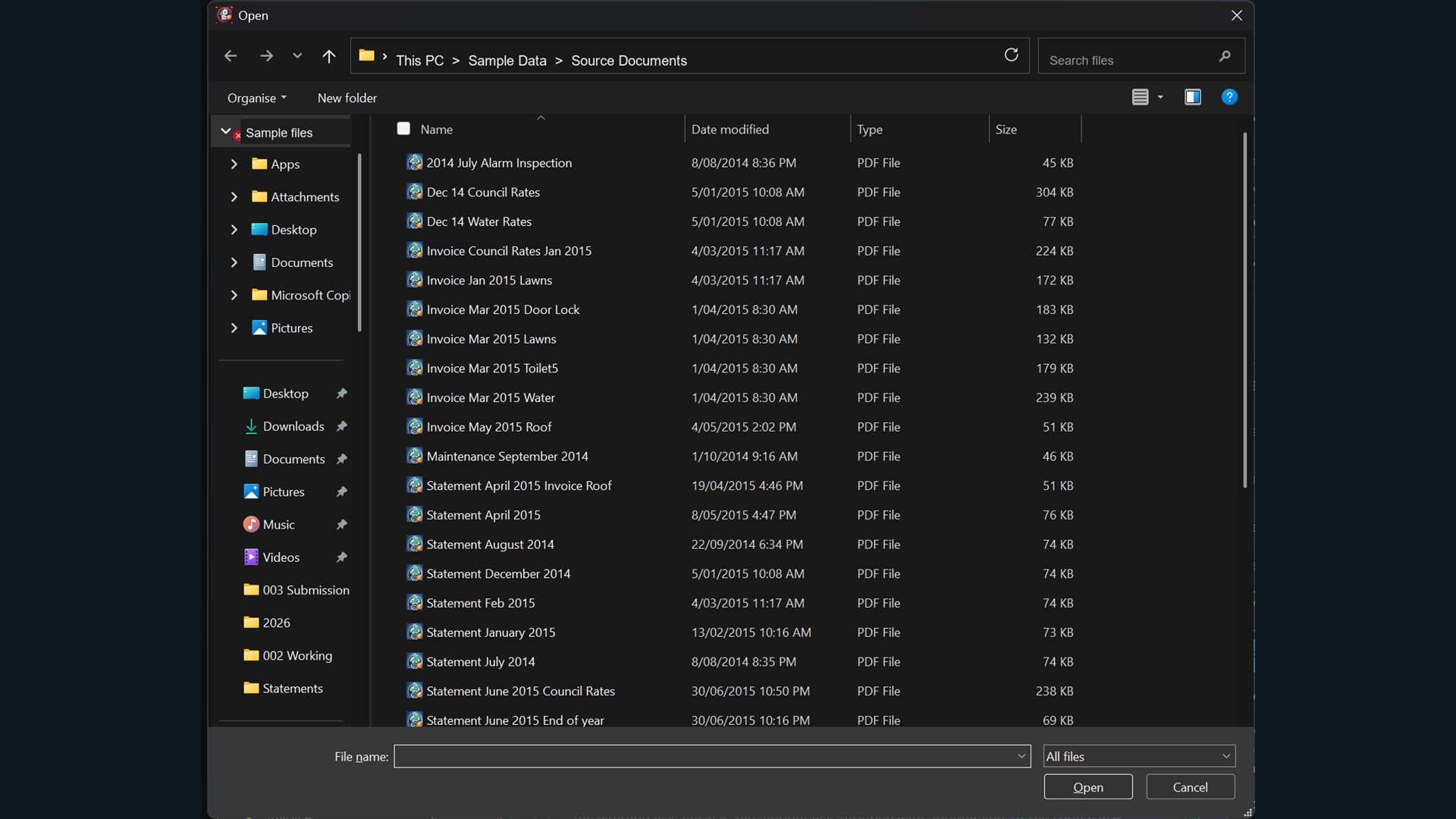
Select rental statements, invoices, notices and other source documents from a working folder.
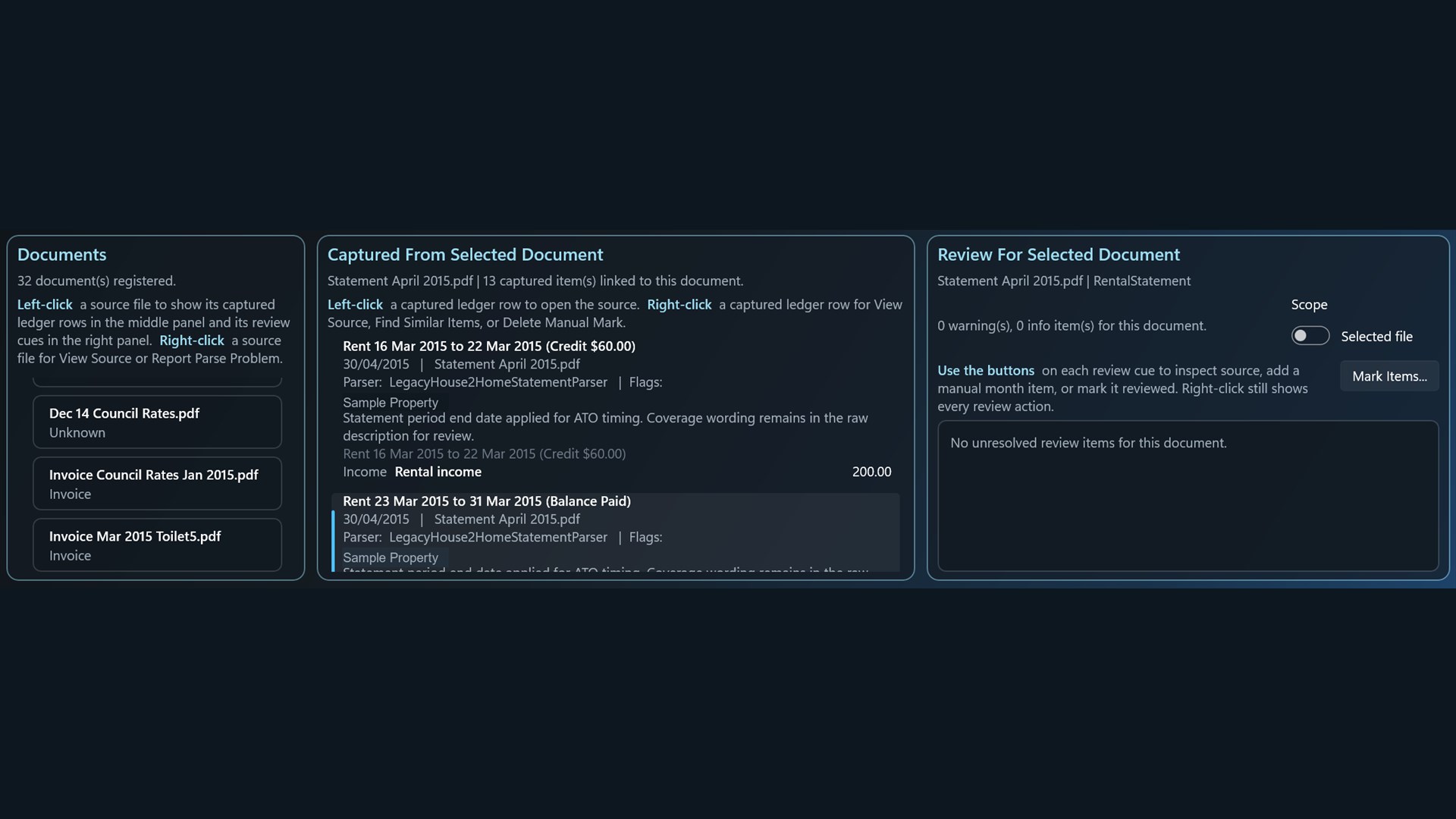
Use document, captured-item and review panels to investigate items that need checking.
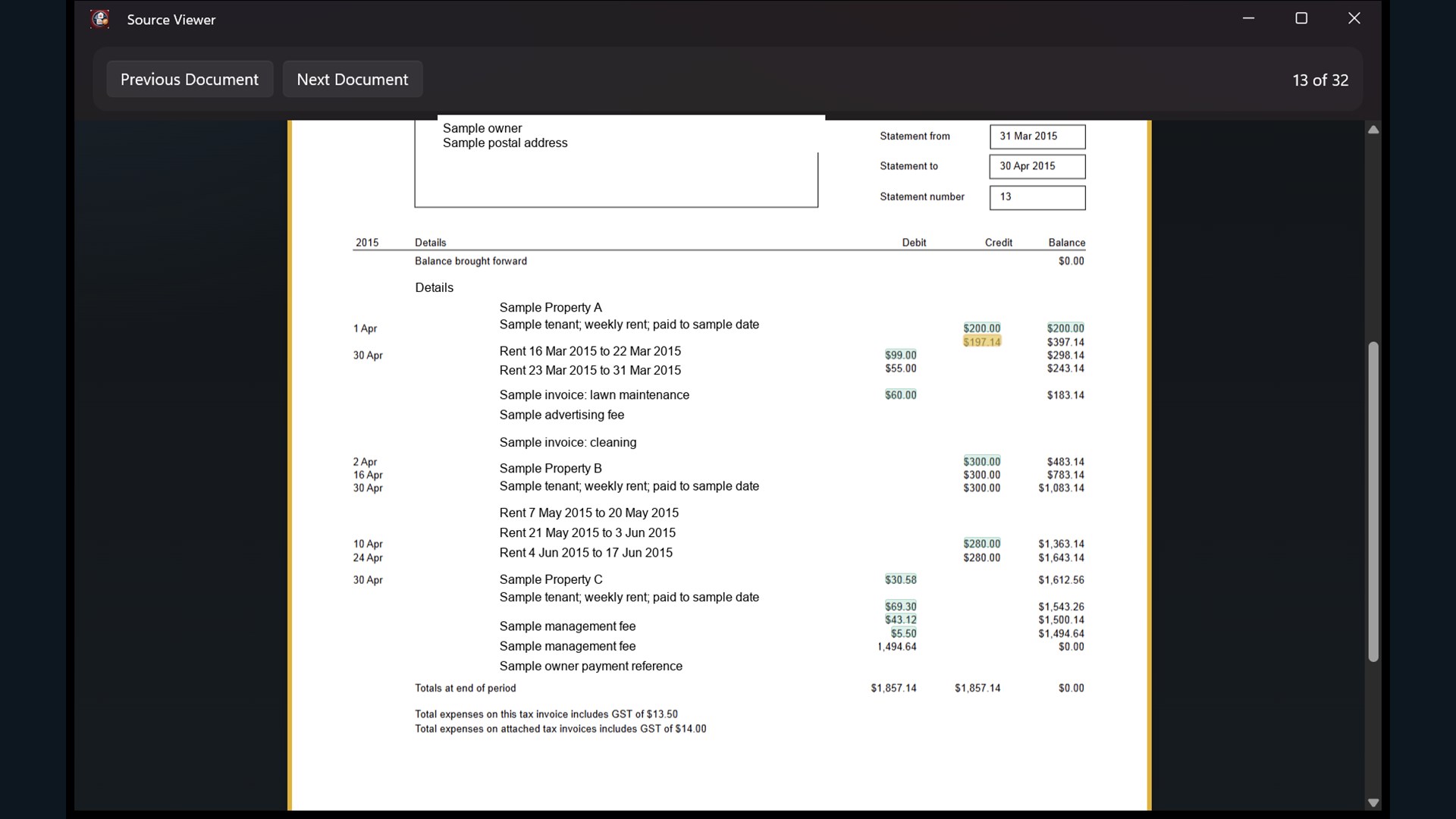
Open source PDFs with highlighted amounts so ledger totals can be checked against evidence.

Property Ledger is published by MACCA CONSULTING PTY LTD.
Yes. Property Ledger is a Windows desktop app distributed through Microsoft Store.
No. Property Ledger is a working-paper tool. It does not provide tax advice and does not lodge tax returns.
Users should review source documents, categories, totals, review cues and exported files before relying on the working papers or giving them to an accountant.
Email stuart@mcmillantendering.com.au for Property Ledger support.